

To collect and view feedback, you must enable feedback from the Add-ons page in your dashboard.
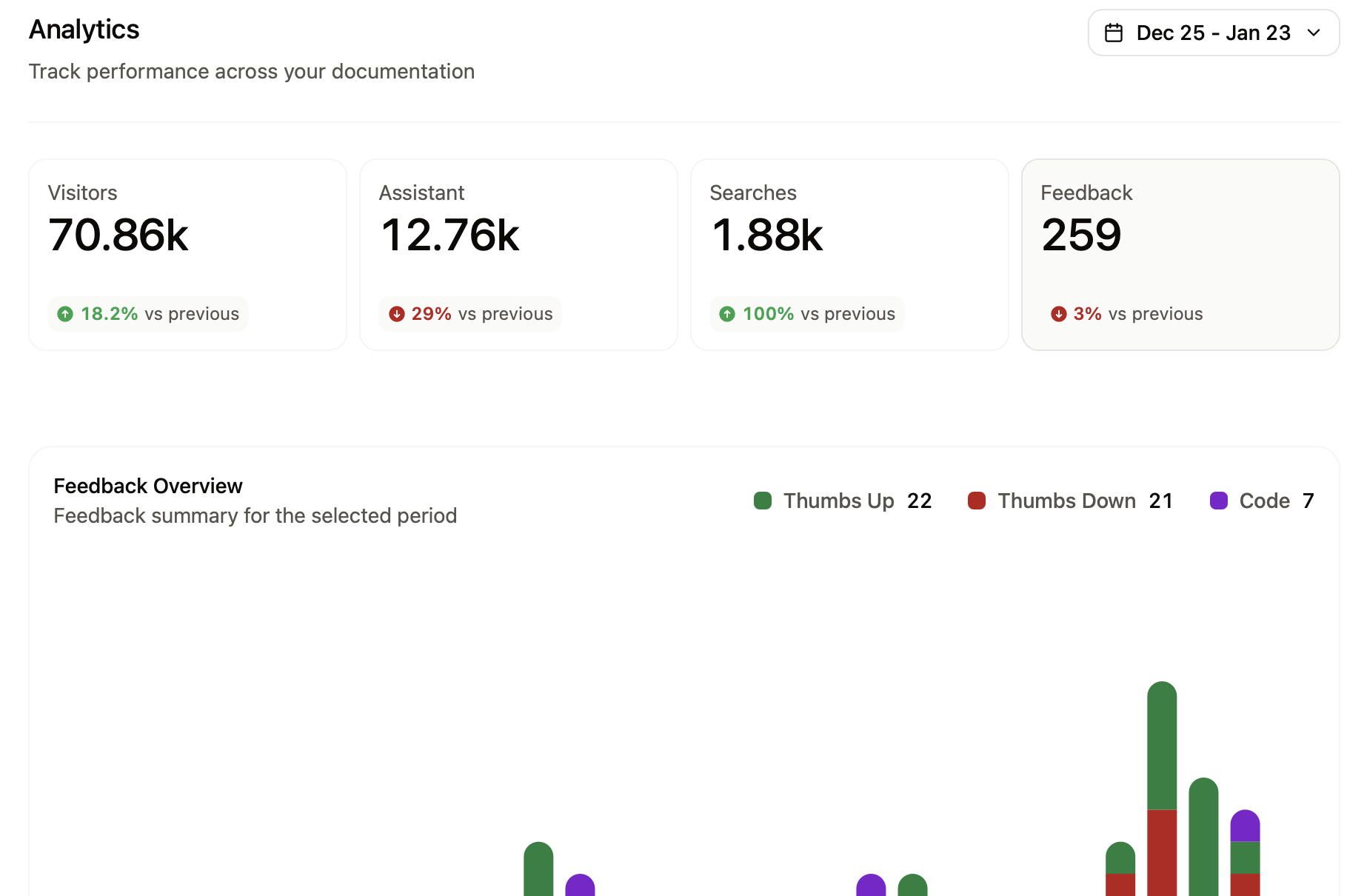
Feedback types
Contextual and code snippet feedback are in beta. To enable them for your documentation site, contact our sales team.
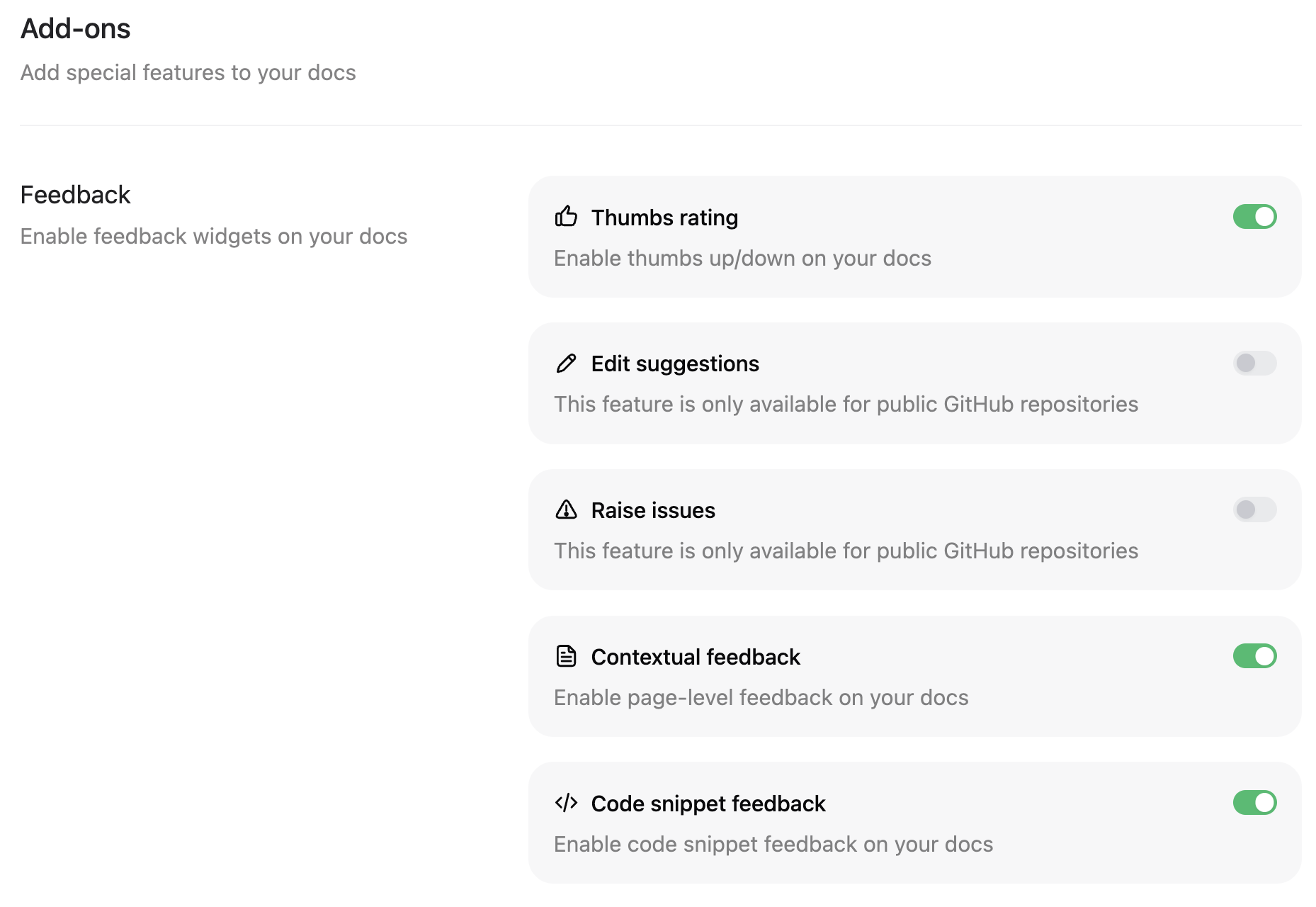
- Thumbs rating: Simple thumbs up/down voting to gauge overall satisfaction with pages.
- Contextual feedback: Free form feedback about the content of a page.
- Code snippet feedback: Feedback specifically on code snippets.
If you disable telemetry in your
docs.json file, feedback features will not appear on your documentation pages, even if you enable them in your dashboard.Manage feedback
For contextual and code snippet feedback, you can set the status of a piece of feedback and add internal notes to track your work resolving user feedback.Change feedback status
Select the status beside a piece of feedback to mark it as Pending, In Progress, Resolved, or Dismissed. Best practices for setting feedback statuses:- Pending: Feedback is awaiting review.
- In Progress: Feedback has been validated and is being worked on.
- Resolved: Feedback has been resolved.
- Dismissed: Feedback has been dismissed as not actionable, irrelevant, or inaccurate.
Filter by status
Use the status filter to control which feedback is displayed. Clear a status to hide all feedback with that status. By default, all feedback is displayed.Add internal notes
Click a piece of feedback to add an internal note. These notes are only visible to people with access to your dashboard. Use notes to add information for collaboration, link relevant support or engineering tickets, or remember any other useful information.Use feedback data
Review your feedback data to:- Identify successful content: Pages with the most positive feedback show what works well in your documentation.
- Prioritize improvements: Pages with the most negative feedback indicate what content might need attention.
- Take action: Make documentation updates based on direct user feedback.